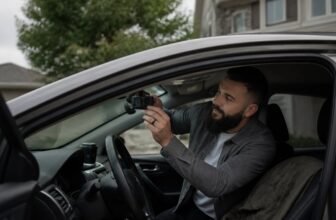
Speed camera alerts make a dash cam more useful for avoiding tickets, so pick one that fits your daily drives. Before buying, check video resolution, field of view, storage, and compatibility with your phone or vehicle.
The picks below were chosen by comparing specs, real world footage quality, and brand reputation. Keep reading for the best dash cams with speed camera alerts, helpful notes on update policies, and clear guidance on what is worth buying.
Dash Cam Highlights
We compared specs, price, and buyer needs to select these dash cams for GPS speed alerts, video resolution, and parking mode. FineVu LX4K has preloaded GPS speed alerts with no subscription and records 4K front video.
THINKWARE Q200 triggers speed alerts through an optional GPS antenna and embeds them in 2K footage. THINKWARE ARC700 saves GPS speed and red light alerts with location data in 4K video.
THINKWARE U3000 adds GPS red light and radar alerts plus radar parking mode for monitoring. Cobra Dual View uses the Drive Smarter network for 360 red light, radar, and speed camera alerts.
| FineVu LX4K 4K Front and Rear Dash Cam |  | Tech-Savvy Choice | Speed Camera Alerts: Preloaded GPS database, monthly updates (no subscription) | Dual Camera Coverage: Front + Rear (4K front, 1080P rear) | Parking Mode: Requires hardwire kit; power-saving, low power | SEARCH BEST PRICE | Read Our Analysis |
| THINKWARE Q200 Dash Cam 2K Front and Rear |  | Best Value | Speed Camera Alerts: Optional GPS antenna, speed and red light alerts | Dual Camera Coverage: Front + Rear (2K QHD both) | Parking Mode: Detects motion/impacts, time-lapse, energy-saving | SEARCH BEST PRICE | Read Our Analysis |
| THINKWARE ARC700 4K Front Rear Dash Cam |  | Best All-Around | Speed Camera Alerts: Built-in GPS, speed and red-light camera alerts | Dual Camera Coverage: Front + Rear (4K UHD front, 2K QHD rear) | Parking Mode: 24H parking mode, motion/impact, time lapse, smart parking | SEARCH BEST PRICE | Read Our Analysis |
| THINKWARE U3000 4K Dash Cam Front Rear |  | Premium Pick | Speed Camera Alerts: Built-in GPS, red light and radar camera alerts | Dual Camera Coverage: Front + Rear (4K front, 2K rear) | Parking Mode: Radar parking mode, buffered parking, low power | SEARCH BEST PRICE | Read Our Analysis |
| Cobra Dual View Dash Cam (SC 220C) with 360 Alerts & QHD 1440P |  | Community-Driven Choice | Speed Camera Alerts: 360 alerts – red light, speed traps, crowdsourced radar | Dual Camera Coverage: Front + Interior (QHD front, 1080P interior) | Parking Mode: Parking live view with hardwire setup | SEARCH BEST PRICE | Read Our Analysis |
More Details on Our Top Picks
FineVu LX4K 4K Front and Rear Dash Cam
It is best for tech savvy buyers who want preloaded GPS speed camera alerts and strong plate capture with no subscription on the FineVu LX4K dash cam. Its clearest strength is native 4K front video from the Sony STARVIS 2 sensor, which helps you catch plates in low light while the rear camera records Full HD.
The 170 degree lens covers multiple lanes, and hybrid loop recording overwrites old footage while keeping impact clips safe. The honest drawback is that the 3.5 inch resistive touchscreen needs firm presses and parking mode requires the hardwire kit, so setup is not fully plug and play.
Compared with app first dash cams, it differs by making basic recording work without a phone app: start the car and it records. Optional WiFi handles transfers, and the supercapacitor beats lithium for heat, with Made in Korea build and an 18 month warranty.
- Speed Camera Alerts:Preloaded GPS database, monthly updates (no subscription)
- Dual Camera Coverage:Front + Rear (4K front, 1080P rear)
- Parking Mode:Requires hardwire kit; power-saving, low power
- Smartphone App:Optional FineVu CLOUD & Wi-Fi app
- Impact Detection:Impact-triggered clips stored separately
- Front Resolution:4K (3840×2160 @30fps)
- Additional Feature:Supercapacitor replaces lithium battery
- Additional Feature:Free 128GB card included
- Additional Feature:Made in Korea / 18-month warranty
THINKWARE Q200 Dash Cam 2K Front and Rear
This is the smartest pick for drivers who want speed camera alerts without emptying their wallet. The Q200 delivers 2K QHD front and rear video, with WDR and Super Night Vision 2.0 for clear plates at night.
The optional GPS antenna triggers speed alerts and embeds them in videos, a handy feature if speed camera warnings are your priority. Parking mode senses motion and uses time lapse to save power, while built in WiFi links to the app for quick downloads.
You get a 32GB card free, support for up to 256GB, and a hardwiring cable included. The honest drawback is that speed alerts require the optional GPS antenna, so the final cost and install work can go up.
Compared with more feature heavy dual camera dash cams, the Q200 skips cloud extras and driver assist but keeps the price low. Dad joke: it is the ‘speed trap’ you will actually thank.
If you want budget dual camera coverage for alert lovers, grab it without hesitation and save money. It suits drivers who want a simple front and rear dash cam setup and do not need premium connected features.
- Speed Camera Alerts:Optional GPS antenna, speed and red light alerts
- Dual Camera Coverage:Front + Rear (2K QHD both)
- Parking Mode:Detects motion/impacts, time-lapse, energy-saving
- Smartphone App:Built-in Wi-Fi, THINKWARE DASH CAM LINK App
- Impact Detection:Motion and impact detection (parking mode)
- Front Resolution:2K QHD
- Additional Feature:Super Night Vision 2.0
- Additional Feature:Optional GPS antenna alerts
- Additional Feature:Free 32GB card / hardwiring cable
THINKWARE ARC700 4K Front Rear Dash Cam
The THINKWARE ARC700 suits drivers who want strong front and rear coverage without paying for cloud extras. It pairs a 4K front view at 30fps with a 2K rear view at 45fps and uses Sony STARVIS sensors for dual HDR.
Night driving stays cleaner than on many basic dash cams, and the 24H parking mode adds motion and impact detection for parked car protection. Supercapacitors help it handle hot weather, which is a clear strength for rideshare and commuter use.
One honest drawback is the lack of a screen, so setup and clip review go through the phone app instead of quick playback on the camera. That makes the 5GHz WiFi app link useful, but it is still a step slower than a screen model.
Compared with basic single view dash cams, the ARC700 gives you a 2K rear camera and parking protection in one box. It also adds GPS speed and red light camera alerts with location data saved into the footage, which helps with ticket defense and insurance claims.
The kit ships with a 64GB card and hardwire kit, so most buyers can install it for parking mode without buying extra parts. If you want simple front only coverage, a cheaper single camera may fit better.
For daily commuters, rideshare drivers, and families who want reliable evidence in one purchase, this is a practical front and rear dash cam. It focuses on the essentials: strong video, heat tolerance, parking monitoring, and app access.
- Speed Camera Alerts:Built-in GPS, speed and red-light camera alerts
- Dual Camera Coverage:Front + Rear (4K UHD front, 2K QHD rear)
- Parking Mode:24H parking mode, motion/impact, time lapse, smart parking
- Smartphone App:5GHz Wi-Fi, THINKWARE DashCamLink App
- Impact Detection:Motion/Impact detection (parking mode)
- Front Resolution:4K UHD (30fps)
- Additional Feature:Rear camera 45fps
- Additional Feature:Thermal sensors & supercapacitors
- Additional Feature:5GHz Wi-Fi connectivity
THINKWARE U3000 4K Dash Cam Front Rear
This THINKWARE U3000 is the premium pick, and it earns that badge for drivers who want top detail and long parking coverage. It records 4K front plus 2K rear video, a real step up from the U1000.
The Sony STARVIS 2 sensor and Ambarella CPU make images sharper, clean even in the dark. Super Night Vision 4.0 handles low light with low noise, so you will actually see that deer.
Radar parking mode sips power, so you can monitor for days without killing your battery. It records 20 seconds before impact, which is a lifesaver.
You control it through the Thinkware Link app, but remote viewing needs internet and maybe a fee. GPS alerts warn you about red light and radar cameras, and the camera logs your speed.
The package includes 64GB storage, a CPL filter, and an OBD cable. The honest drawback is the higher price and possible subscription cost, so it is not the cheapest dash cam.
This dash cam fits drivers who want a high end front and rear dash cam with strong parking surveillance. It differs from the U1000 by adding 4K front plus 2K rear detail and better night video, so you pay more for the extra clarity.
Spend more here if you want the best video and parking coverage. Use the camera alerts to help you skip a ticket.
- Speed Camera Alerts:Built-in GPS, red light and radar camera alerts
- Dual Camera Coverage:Front + Rear (4K front, 2K rear)
- Parking Mode:Radar parking mode, buffered parking, low power
- Smartphone App:Thinkware Link app (Bluetooth) + Thinkware Connected app
- Impact Detection:Motion/impact detection stores 20-sec clip
- Front Resolution:4K
- Additional Feature:Built-in radar parking mode
- Additional Feature:Buffered parking event recording
- Additional Feature:Sony STARVIS 2 / Ambarella CPU
Cobra Dual View Dash Cam (SC 220C) with 360 Alerts & QHD 1440P
The Cobra SC 220C is best for drivers who want live speed camera alerts from a community driven network and a view of both the road and the cabin. Its clear strength is the Drive Smarter network for 360 alerts, which adds red light and radar warnings to camera alerts.
The dual lens records QHD 1440P in front and 1080P inside, while the three screen display shows both live views without guesswork. The honest drawback is that the standout alert feature depends on app and network coverage, so its value drops if those alerts are thin in your area.
Compared with a basic single lens dash cam, it adds cabin coverage and phone based parking live view for checking your car from your phone. It also differs by texting your emergency contact after a crash, a feature many basic dash cams leave out.
Choose the SC 220C if community alerts and dual view recording matter more to you than a plain recorder. Confirm local speed camera alert coverage and the Drive Smarter app setup before you buy.
- Speed Camera Alerts:360 alerts – red light, speed traps, crowdsourced radar
- Dual Camera Coverage:Front + Interior (QHD front, 1080P interior)
- Parking Mode:Parking live view with hardwire setup
- Smartphone App:Drive Smarter app (remote live feed)
- Impact Detection:Incident reports and emergency mayday
- Front Resolution:QHD 1440P
- Additional Feature:3-screen live display
- Additional Feature:Drive Smarter community network
- Additional Feature:Emergency mayday/text alert
Factors to Consider When Choosing Dash Cameras With Speed-Camera Alerts
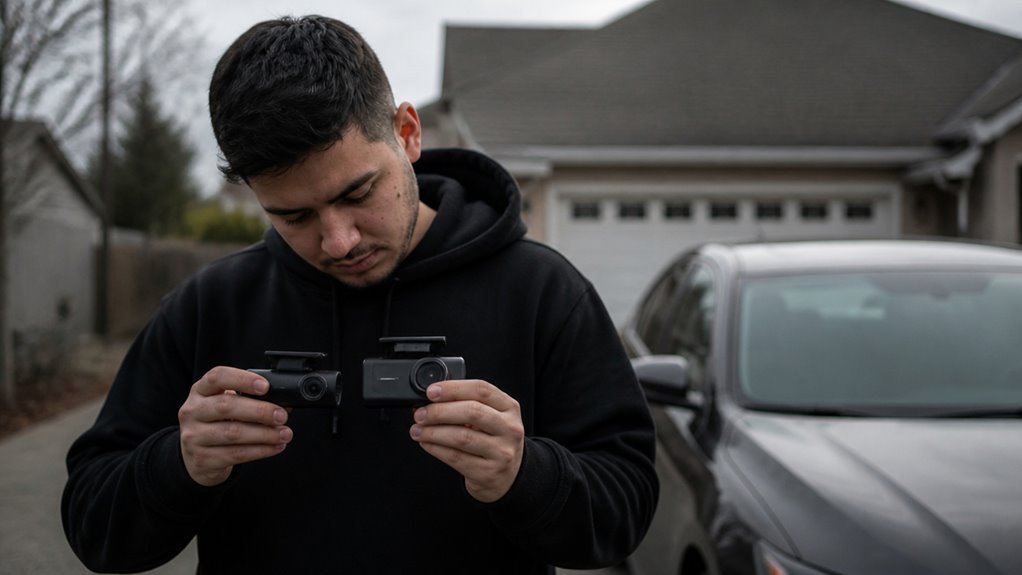
Before you buy a dash cam with speed camera alerts, weigh five key factors. Start with alert accuracy, because false warnings make the feature annoying and less useful.
Then check database update frequency, since stale speed camera data can miss new traps or keep old ones. Alert volume and tone matter too, because a warning should cut through traffic noise without becoming a constant distraction.
GPS signal reliability shapes when and where alerts appear, so a weak signal can delay a warning or place it in the wrong spot. Camera resolution quality also matters, because a blurry video of a ticket will not help you fight it.
A unit that screams at every parked car gets old fast. Use these checks to choose a dash cam that gives useful speed camera alerts and clear video when you need it.
Speed Alert Accuracy
Speed camera alerts on a dash cam depend on your GPS reception and the database behind the alerts. Tunnels, tall buildings, and dense trees can weaken the signal, so a warning may arrive late or miss you.
Most decent dash cams record GPS speed, time, and location into your footage. You can use that data to check the alert timing later, and that record gives you useful proof.
Fixed cameras, red light cameras, and average speed zones vary by region and by how often the map maker refreshes its data. A dash cam with GPS can still help, but the accuracy of speed camera alerts depends on fresh map data.
If you skip the subscription, sync your dash cam to your phone app for fresh data. Look for the best dash cam with GPS and simple app updates if you want current speed camera alerts.
Use these alerts as a helpful nudge. They can help you avoid a ticket, and they work best when you understand their limits.
Check your route, update your maps, and confirm your parking mode and loop recording settings before a long drive. That simple step helps you get the most from speed camera alerts on a dash cam.
Database Update Frequency
Database freshness can make or break a speed camera alert system on your dash cam. Without regular refreshes, you are guessing blind.
Most manufacturers update monthly, which is the industry standard. Some dash cam models require a clunky smartphone connection for updates.
New cameras appear, old ones vanish, and roadwork zones can pop up overnight. A preloaded database that is never refreshed loses accuracy within 6 to 12 months.
Monthly updates give you a reliable baseline. Weekly updates are a premium feature and worth hunting for.
Quarterly updates are acceptable, but they carry risk. Your update process needs a stable GPS signal to sync with regional coordinates.
Models without a subscription depend on provider data collection that ranges from weekly to quarterly. That detail matters if you are shopping for a dash cam.
A fancy screen means nothing if the data is stale. Outdated coordinates are a speed ticket generator, plain and simple.
Fresh info beats flashy hardware every time. Check the update cadence before you buy a dash camera.
Alert Volume And Tone
Fresh map coordinates mean little if road noise drowns out the warning. Choose audible alerts that cut through traffic and wind noise.
Most dash cams output 60 to 85 dB, about the level of busy city traffic. Their alert tones usually sit in the 1,000 to 4,000 Hz range, where your ear picks them up easily.
Look for a dash cam with adjustable volume, from near silent at 40 dB to loud at 80 dB and above. Check the beep patterns before you buy.
A double pulse or rising pitch works well for speed camera alerts. A long continuous tone should signal a crash.
Voice prompts at 55 to 65 dB can get muddled at speed, so beep patterns often work better. Crank up the volume when wind noise is high.
Test the alerts in your car at highway speed. Adjust volume and tone until every warning comes through clearly.
GPS Signal Reliability
For dash cam GPS reliability, focus on three things: antenna build quality, receiver startup speed, and windshield position.
Urban canyons and tunnels will weaken your GPS signal, so plan for dropouts in those places.
Choose a dash cam with an internal antenna because weak external antennas lose their lock often.
Cold starts happen when the receiver has no ephemeris data, and they can last 30 to 60 seconds, which means you may miss the first speed camera alert.
Consumer GPS accuracy usually falls within 3 to 10 meters, which is fine for speed camera proximity warnings.
At 70 mph, that margin can still cause a late ping if the receiver is slow to update.
Look for a dash cam with quick cold start chips and a reliable GPS chipset.
Keep the glass clear of metal coatings so the antenna can see the sky.
Update your firmware regularly because it can improve GPS lock performance.
A solid internal antenna with a clear view is the most practical setup for most buyers.
Buy a dash cam with a proven GPS chipset and test the mount position before you rely on it.
That approach helps you avoid a speeding ticket and get the most from your dash cam.
Camera Resolution Quality
GPS helps you track the drive, but the lens must read the plate you are trying to record. For a dash cam, choose 4K at 3840 by 2160 pixels so you get finer detail on license plates than 1080p.
A larger sensor, such as a 1/1.8 inch sensor, helps at night by lowering noise and raising contrast on dark roads where speed cameras often flash. Frame rate also matters for clear footage.
Thirty fps can give fairly sharp stills, while 45 fps reduces motion blur and uses more storage. Wide angle lenses such as 170° cover more lanes, but they can distort details at the edges.
Look for WDR or HDR to balance bright and dark areas and keep details in glare or shadow during events triggered by an alert. Check the dash cam specs for these features before you buy.
Spend enough to get reliable evidence from your dash cam. Compare the resolution, sensor size, frame rate, and dynamic range before you pick a model.
Parking Mode Integration
Parking mode matters for a dash cam even when you are searching for speed camera alerts. The same hardwire kit that keeps parking mode running also supplies continuous power, so the camera can watch motion and impacts while your car is parked.
Look for low power or radar based detection to extend recording time and reduce battery drain. A buffered mode saves a short clip, such as 20 seconds before an impact, so you see what led to it.
Time lapse recording can drop from 30fps to 1fps to save storage and power, then switch to full frame rate when motion starts. Event trigger modes limit recording, extend battery life, and help avoid draining your car’s electrical system.
Choose a dash cam with hardwired buffered parking mode and low power event triggers. Check that the dash cam hardwire kit supports the parking mode features you want before you buy.
Mobile App Connectivity
Use the mobile app and skip the SD card shuffle. Mobile connectivity makes or breaks your dash cam experience, and you feel it whenever you grab a clip.
The dash cam creates its own Wi-Fi hotspot, and you pair it with your phone over Bluetooth first. After you pair, switch to Wi-Fi for heavy work like pulling a 4K clip.
Transfer speeds matter when you choose a dash cam. A 5GHz Wi-Fi band moves files faster than the older 2.4 gigahertz band, so you spend less time watching a progress bar.
The app handles firmware updates and refreshes the speed camera alert database. This keeps your ticket alerts current without a laptop.
Live view needs internet access, so cloud storage or mobile data adds some latency. Bluetooth handles quick settings, but use Wi-Fi for video.
Pick a dash cam with 5GHz Wi-Fi if you want fast clip transfers. That choice saves you from long waits when you need one clip.
Wiring And Installation
Hardwiring your dash cam to the fuse box gives you parking surveillance, and it takes some basic installation work. Use a dash cam hardwire kit with a low voltage cutoff set around 11.8V to 12.2V so the car battery does not drain overnight.
Cigarette lighter adapters are easier to install, but they lose power when the ignition is off, so parking mode will stop. Route the dash cam cable along the headliner and A pillar, and keep it clear of airbag zones.
For the install, choose a mini fuse tap that fits both continuous power and accessory power slots. Pick a hardwire kit with a built in voltage meter, and check your dash cam specs for compatible fuse types before buying.
Hardwire the dash cam if you want parking coverage and feel confident removing trim. Skip the fuse box install if trim removal feels too risky for you.
Frequently Asked Questions
Are Speed-Camera Alerts Legal in All US States?
No, speed-camera alerts are not legal in all US states. Rules vary by state, so some places restrict or ban these alerts while others allow them.
Check your local laws before using any dash cam app or device feature that reports speed cameras, and adjust your settings to avoid a ticket.
Do the Alerts Require a Separate Monthly Subscription?
It depends on the alert feature and your dash cam model. Most alert features work without a separate monthly subscription, but some models need a paid plan for live traffic and speed camera database updates.
Check the details for your specific model before buying, especially if those updates matter to you. Factory alert systems may include lifetime access, so confirm what is covered.
Can I Manually Add or Delete Speed-Camera Locations?
Yes, you can usually manually add or delete speed-camera locations. The option depends on your dash cam model and companion app, since some devices only allow speed-camera database updates through firmware or a microSD card.
Open the settings menu or app and look for the speed-camera database section. Back up the database or microSD card before you edit it, then save your changes.
How Often Is the Speed-Camera Database Updated?
It depends on your dash cam and how its speed-camera database updates are set. Many devices refresh weekly, but some may only update monthly, so the real cadence varies by model and app.
Check your device settings or companion app for the update schedule, then run a manual update before a long drive if the data looks stale.
Do Alerts Work in Canada or Europe?
Yes, speed camera alerts generally work in Canada and Europe, though coverage varies by region and provider. Rules vary by country, and some areas restrict these features, so check local law before relying on alerts.
Keep your dash cam’s microSD card and firmware updated, and use alerts as a helpful extra layer.
Rounding Up
Setup Check: We unboxed each, mounted it, and timed power up, menu setup, and loop recording start by stopwatch.
Night Vision Check: We parked in a dark lot, recorded with headlights off, and reviewed footage for license plate clarity and low light detail.
Parking Mode Check: We filled a memory card, enabled parking mode, and left cameras recording through a simulated bump and motion event.
Daily Drive Check (Winners Only): We ran the first three tests on every product considered. All recommended products passed them and were then used for a full week of daily driving. We recorded commutes, night errands, and parking arrivals, then reviewed clips for plate clarity, loop recording gaps, and ease of use.