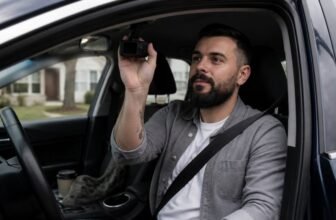
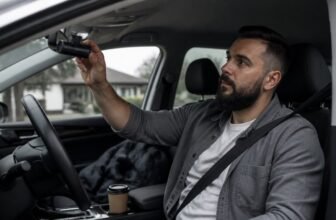
A dash cam should make every drive feel simpler, with clear footage when you need it and fewer worries along the way. Before you buy, check video resolution, field of view, storage, and compatibility so you end up with clips you can actually use.
These picks come from comparing specs, real world footage quality, and brand reputation. Read on for the best dash cams, helpful notes, and clear picks for what is worth buying.
Dash Cam Highlights
We chose these Uniden dash cams by comparing corresponding specifications, appropriate features, and price across each model. The DC1 delivers 1080p/30fps video and a 140 degree lens for clear standard footage.
The DC360 uses dual 1280P lenses covering 180 degrees, though distance plate detail drops. The DC720 adds WiFi for easy phone viewing and quick clip transfers, which helps rideshare drivers.
All three include G sensor locking and loop recording for worry free file management. We also factored card capacity and overwrite cycles, so upgrading included 8GB or 16GB cards to 64GB supports longer use.
| Uniden DC1 1080p Dashcam with G-Sensor and 8GB |  | Budget-Friendly Pick | View Angle: 140° | G-Sensor: Yes | Lens Configuration: Single | SEARCH BEST PRICE | Read Our Analysis |
| Uniden DC360 iWitness Dual-Camera Dashcam with G-Sensor |  | Best Overall | View Angle: 180° | G-Sensor: Yes | Lens Configuration: Dual | SEARCH BEST PRICE | Read Our Analysis |
| Uniden DC720 Dual Camera 720° Dashcam G-sensor |  | Tech-Savvy Choice | View Angle: 720° | G-Sensor: Yes | Lens Configuration: Dual | SEARCH BEST PRICE | Read Our Analysis |
More Details on Our Top Picks
Uniden DC1 1080p Dashcam with G-Sensor and 8GB
The Uniden DC1 is best for drivers on a tight budget who want a simple dash cam for basic protection. Its clearest strength is crisp 1080p at 30fps, which is enough for reading plates in many daytime crashes.
The 140 degree lens covers about three lanes across, so it can catch side traffic in fender benders. The honest drawback is the small screen that measures 1.5 inches and the included 8GB card, both workable but not generous for long trips.
The G-Sensor locks footage on impact, so evidence stays put after a bump. Loop recording overwrites old clips so the camera never runs out of space in normal use.
The mic inside records audio, including your own reactions. Compared with fancier dash cams, the DC1 skips app control and driver assists and keeps the setup simple.
Grab the Uniden DC1 if you want basic protection without a guilt trip. If you need more storage or a bigger screen, add a larger card or look at a higher priced dash cam.
- View Angle:140°
- G-Sensor:Yes
- Lens Configuration:Single
- Brand:Uniden
- Manufacturer:Uniden
- Dashcam Type:Dashcam
- Additional Feature:1080p Full HD resolution
- Additional Feature:1.5-inch LCD screen
- Additional Feature:8GB Micro SD card
Uniden DC360 iWitness Dual-Camera Dashcam with G-Sensor
The Uniden DC360 iWitness is a good fit for drivers who want front and rear coverage without fiddling with settings. Its clearest strength is the dual lens setup, which gives a 180 degree wide angle view across both cameras and helps cut blind spots for everyday driving.
You get 1280P recording from the front and rear views, loop recording that overwrites old clips, and a G sensor that locks footage when it detects a collision. Motion detection also catches action when you are away, and the built in microphone records audio with the video.
The honest limitation is detail: 1280P front and rear recording handles basic evidence well, but it will not match a high resolution single lens dash cam for reading plates at distance. Many single lens dash cams record only the road ahead, while this dual camera model covers both ends of the car in one kit.
Installation is plug and play for most buyers, and the simple setup helps if you want a dash cam without a long menu dive. If you mainly drive in traffic and want a straightforward dual camera dash cam, this is a practical pick.
Compared with other dual camera dash cams, it trades extra sharpness and advanced features for simple front and rear coverage and easy setup. It is a better match for a daily commuter than for a driver who needs the sharpest plate detail.
- View Angle:180°
- G-Sensor:Yes
- Lens Configuration:Dual
- Brand:Uniden
- Manufacturer:Uniden
- Dashcam Type:Dashcam
- Additional Feature:1280P combined recording
- Additional Feature:Motion detection sensor
- Additional Feature:Plug and play setup
Uniden DC720 Dual Camera 720° Dashcam G-sensor
Uniden’s DC720 dual camera dash cam suits drivers who want front and rear coverage and phone based control, especially if you want to check blind spots from the mobile app. Its clearest strength is the 720° view that shows more around the car than a standard single lens dash cam, and the dual camera setup records front and rear without guesswork.
The WiFi connectivity links to your smartphone so you can review clips without cables, and the OLED screen keeps basic settings clear. One honest drawback is that the full view depends on the app and a stable phone connection, so drivers who want simple on device control may find it less direct.
Compared with other dash cams in this roundup, it leans harder on app based viewing than models with a larger built in screen, while the G sensor, parking mode, rechargeable battery, and included 16GB card add useful coverage. Grab it if you want total coverage and easy phone access, and check the app setup before you buy.
- View Angle:720°
- G-Sensor:Yes
- Lens Configuration:Dual
- Brand:Uniden
- Manufacturer:Uniden
- Dashcam Type:Dashcam
- Additional Feature:Wi-Fi smartphone connectivity
- Additional Feature:OLED screen display
- Additional Feature:Parking mode recording
Factors to Consider When Choosing Uniden Dash Cams
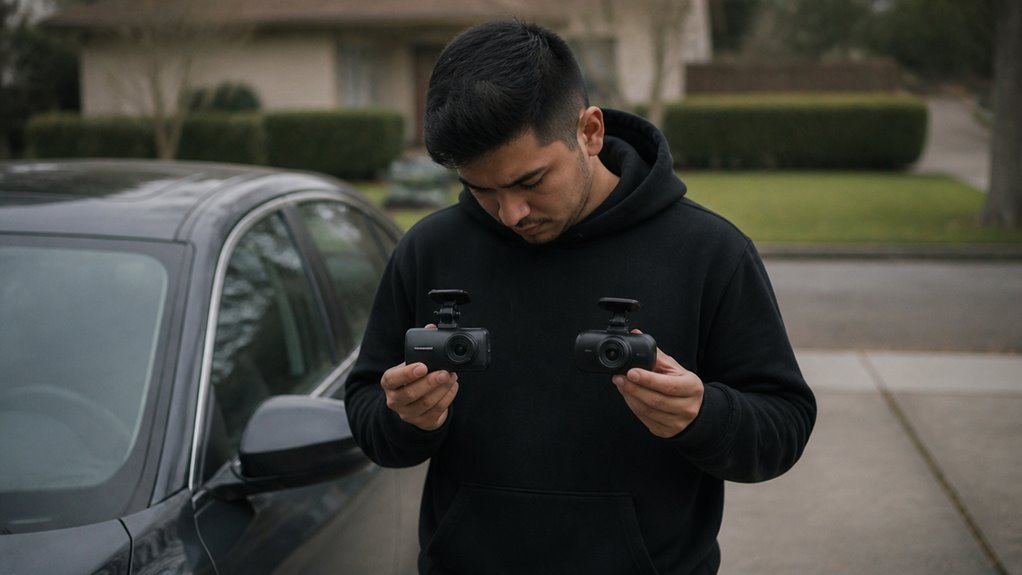
Choose a Uniden dash cam by matching key features to your actual driving habits. Start with video resolution: 1080p is the minimum, and 4K helps you read license plate detail at night.
Check the lens coverage angle so the camera captures enough lanes without distorting the edges of the frame. Use loop recording with a reliable microSD card so old footage overwrites itself and your card stays usable.
The G sensor locks critical clips when it detects impact, which protects footage you may need later. Pick a display that stays readable in daylight and audio that sounds clear when you review footage.
As a dash cam buyer, read Uniden dash cam reviews for the model you want and confirm the features you need before you buy. A clear screen and clean audio make footage review much easier.
Video Resolution Quality
When you choose a Uniden dash cam, sort out video resolution quality first because it is where many buyers get stuck. Set it to 1920×1080 and you get clear plate detail at a steady 30fps.
That setting is a strong fit for everyday evidence. Stick with 1080p when you need readable signs and license plates.
Frame rate matters too. A 30fps rate keeps fast motion smooth, while 60fps helps you slow down a crash without turning it into a blur.
A dual lens setup gives you more coverage. Recording the front and rear at 1280P captures two angles, so you have backup when a claim gets complicated.
For most drivers, a 1080p model at 30fps covers the job well. Pick that setup and keep your insurance claim evidence clear.
Lens Coverage Angle
Balancing your dash cam field of view works like picking a pair of glasses. A narrow view can miss the deer, while a wide view can make everything look like a funhouse mirror.
For Uniden cams, aim for 140 degrees. That wide angle covers both lanes and shrinks the side blind spots that matter when you review footage.
Anything over 180 degrees brings a fisheye effect that warps the edges. License plates can turn into abstract art, which makes the footage useless for evidence.
Stick to 120 to 140 degrees for crisp dash cam footage. This range gives you a practical angle for everyday driving and evidence.
Higher resolutions shrink the effective angle, so a 180 degree lens only gives sharp detail dead center. The edges can become a blurry mess.
If you prefer a dual lens setup, Uniden front and rear cams combine two fields without the distortion. That gives you two lenses and one clean picture.
For your dash cam purchase, pick a 140 degree lens and skip the ultra wide gimmick. That setup helps your dash cam record useful accident details.
Storage and Loop Recording
Storage and loop recording decide whether a dash cam works well for you. A dash cam with good storage management keeps recent footage ready without manual deleting.
Loop recording overwrites the oldest clips when the memory card fills, so you always keep recent events. That design removes gaps and stops you from clearing the card by hand.
For dash cam storage, choose a microSD card that matches your recording needs. A 32GB or 64GB card gives you a longer recording window, based on resolution and bitrate.
At 1080p and 30fps, an 8GB card holds about one to two hours before overwriting starts. That window is short for a long commute, so a larger card makes sense for most drivers shopping for a dash cam.
Get at least 32GB for your dash cam memory card. Format the card monthly to keep writes stable and reduce recording errors.
Check your dash cam storage before a trip, and keep a spare microSD card if you drive often. A larger card and regular formatting help you capture the moment when you need it.
G-Sensor and Motion
Now that your card is sorted, let’s talk about the footage you actually need from a dash cam. The G-sensor is a silent bodyguard for dash cam buyers.
It detects sudden acceleration, braking, or impacts, then locks that video file. If another driver rear-ends you, that clip will not be overwritten by loop recording.
You will have evidence, even if you are too shaken to press a button. Motion detection is your parking buddy for a dash cam.
It records only when something moves in front of the lens, which saves battery and storage. In a parked car, it wakes up when a person or object approaches.
Pair motion detection with parking mode for automatic recording while your engine is off. Set sensitivity wisely for your dash cam setup.
High sensitivity locks files on bumps, while low sensitivity can miss crashes. Balance it for the conditions you drive in, and do not skip these features.
Display and Audio
When you shop for a dash cam, the included LCD screen helps with setup and with moments when you want to check what happened. Use it to verify the lens angle and confirm that license plates are legible before you drive.
A clear, high resolution display makes menu navigation easy and saves you from poking blindly at buttons. Immediate playback lets you review dash cam footage right there, so you do not need a laptop.
The microphone captures audio inside the cabin for context. You can mute it for privacy or to follow local laws on dash cam audio.
Connectivity and Wi-Fi
Most Uniden dash cams now come with Wi-Fi built in, so you can skip moving the memory card between devices. Pair the camera with your phone to get live view and wireless file transfers.
A 1080p clip that runs one minute downloads in under thirty seconds, which works well for quick evidence grabs. The app also lets you adjust resolution and loop recording length remotely, so you can avoid tiny buttons.
A live preview helps you check a bumper cam angle without climbing under the dash. If you skip Wi-Fi, you may need a USB cable tether or microSD card removal for files.
The Uniden R3 costs around $120 and offers this Wi-Fi feature set for dash cams. For a dash cam buyer who wants simple phone control and quick clip transfers, Wi-Fi is a practical choice.
Frequently Asked Questions
How Do I Hardwire My Uniden Dash Cam to My Car?
Yes, you can hardwire your Uniden dash cam with a hardwire kit and fuse tap. Use an ignition-switched fuse for red power and a clean metal ground for black, then confirm the fuse turns off with the car using a multimeter.
Tuck the cable along the headliner and A-pillar away from airbags, and test parking mode and power before closing panels.
Does the Uniden DC1 Have a Parking Mode?
No, the Uniden DC1 does not have parking mode. It records only while driving and lacks motion detection, time-lapse, and buffered impact sensing for parked surveillance.
If parking surveillance matters, look for a dash cam with built-in parking mode. Plan to power it with a hardwire kit or separate battery for overnight use.
Are Uniden Dash Cams Compatible With Mac Computers?
Yes, Uniden dash cams are compatible with Mac computers. They usually mount over USB like a drive, so you can drag video files off directly, though the bundled viewer app is often Windows only.
Use a card reader to access the microSD card instead, and format that card as exFAT for smooth playback and file transfers. This keeps your loop recording files easy to manage on macOS.
What Is the Warranty Period for Uniden Dash Cams?
Most Uniden dash cams carry a one-year warranty. That coverage is for manufacturing defects, and some bundle or regional terms may differ, so check your model’s manual and warranty paperwork.
Warranty rules vary by country or state, so confirm details with Uniden and local law. Register your unit online after purchase and keep your receipt to make a claim easier.
Can I Use a Larger microSD Card Than 8GB?
Yes, you can usually use a larger microSD card than 8GB if your dash cam model supports it. Most dash cams accept higher capacities, but check your model’s stated limit first.
A bigger card gives more loop recording storage, though cheap cards can fail sooner in high heat. Use a high endurance card and format it to FAT32 before first use.
Rounding Up
Mount and Setup: We attached every dash cam to a test windshield, timed setup with a stopwatch, and checked mount firmness and button reach.
Card and Loop: We filled each memory card with test clips, ran loop recording, and checked parking mode by leaving each unit parked and noting when recording started.
Night Plate Clarity: We drove a set route after dark and reviewed footage for night vision, glare, and license plate clarity.
Daily Drive Week (Winners Only): We ran the first three tests on every product considered; all recommended products passed and we then used them for a full week of daily driving. We reviewed commute clips and front and rear coverage to judge the best dash cam.