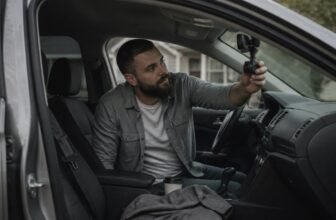
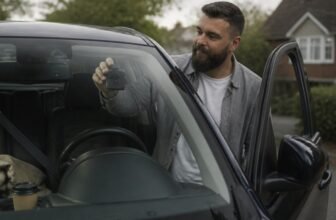
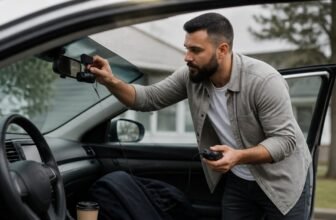
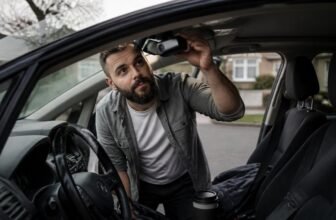
Crisp footage on every drive starts with choosing the right dash cam. The goal is clear detail without filling your card, so check video resolution, field of view, storage, and compatibility first.
We compared specs, real world footage quality, and brand reputation to narrow down the strongest options.
The roundup below highlights the top dash cams for clear everyday recording, plus helpful notes on what is worth buying.
Dash Cam Highlights
We compared matching specs, practical features, and price across these models. The VREC Z820DC captures 4K video for sharp plate reading, and the VREC H520DC gives 2K resolution on front and rear lenses.
The VREC H120SC adds 1.5K, WDR, and a 120 degree lens, while AI ISP Starvis night vision improves low light clarity. Wide 139 to 140 degree lenses cover three lanes for crisp, comprehensive views.
Our specs and price review includes front and rear dash cam coverage, loop recording, parking mode, GPS, and easy to install options. These picks balance clarity, useful features, and value.
| Pioneer RD-HWK300 USB-C Hardwire Kit for Dash Cams |  | Parking Mode Essential | Brand: Pioneer | Power Connector: USB-C | Operating Voltage: 5V DC (output) | SEARCH BEST PRICE | Read Our Analysis |
| Pioneer VREC-Z820DC 4K Dual Dash Cam | 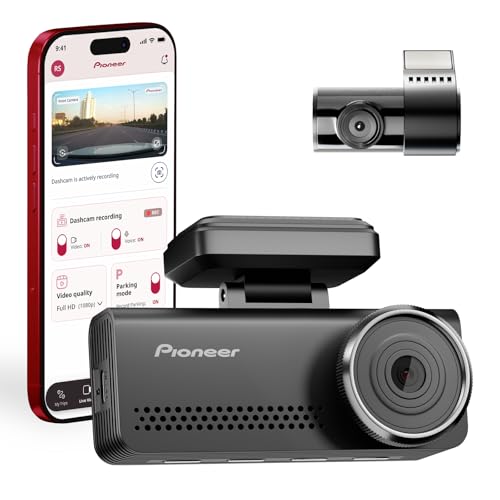 | Premium 4K Pick | Brand: Pioneer | Power Connector: USB-C | Operating Voltage: 5V DC | SEARCH BEST PRICE | Read Our Analysis |
| Pioneer VREC-H120SC Dash Camera with Impact Detection | 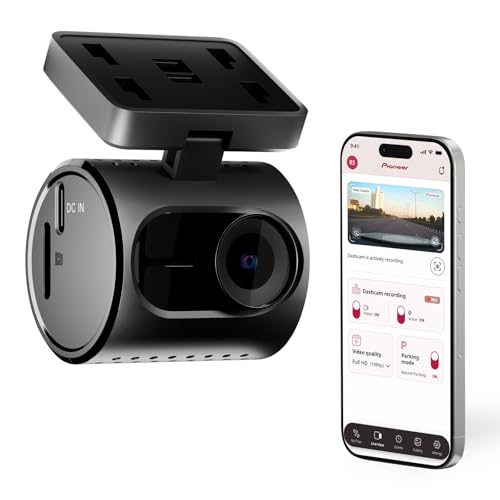 | Compact & Simple | Brand: Pioneer | Power Connector: USB-C | Operating Voltage: 5V DC | SEARCH BEST PRICE | Read Our Analysis |
| Pioneer VREC-H520DC Dual Dash Cam Front Rear |  | Best All-Around Dual Cam | Brand: Pioneer | Power Connector: USB-C | Operating Voltage: 5V DC | SEARCH BEST PRICE | Read Our Analysis |
More Details on Our Top Picks
Pioneer RD-HWK300 USB-C Hardwire Kit for Dash Cams
For drivers who park a car for long stretches, the Pioneer RD HWK300 USB C hardwire kit keeps parking mode ready and records while the vehicle sits. It is best for owners of Pioneer dash cams who want 24/7 recording, motion detection, and impact detection without relying on a cigarette lighter socket.
It taps a 12V to 24V battery, converts that power to a stable 5V, and cuts off at 11.8V to help protect against a dead battery. That cutoff is the clear strength here: you can leave the car unattended with less worry about coming back to a no start.
The honest limitation is the Pioneer specific connector, so this kit is not the best match for other dash cam brands. Compared with universal hardwire kits, it reduces adapter guesswork for Pioneer cams, but it gives you fewer options if you switch brands later.
It supports auto on with ignition and includes two cables, one at 1 ft 6 in and one at 9 ft 8 in, so wiring can route behind panels. The install needs fuse box access and some trim routing, so professional dash cam installation is the safer path unless you are comfortable with car wiring.
If your car sits idle and you use a Pioneer dash cam, add this dash cam hardwire kit for parking mode recording. It is less flexible than a universal kit, so buy it for the Pioneer fit and the tidy install, not for brand swapping.
- Brand:Pioneer
- Power Connector:USB-C
- Operating Voltage:5V DC (output)
- Color:Black
- Manufacturer:Pioneer Electronics USA Inc.
- Product Group:Wireless
- Additional Feature:Prevents battery drain
- Additional Feature:Pioneer dash cam specific
- Additional Feature:Extra-long 9ft 8in cable
Pioneer VREC-Z820DC 4K Dual Dash Cam
If you demand the best, this is the premium 4K pick. The front captures crisp UHD, whereas the rear handles 1080p.
It’s a dynamic duo, even if they don’t wear capes. You get AI ISP Starvis night vision, so reading plates late at night is a breeze.
The humor was not included, but you’re smart enough to buy this anyway. ADAS alerts warn you about collisions and lane drifts.
WiFi and GPS are built in to track your route and speed. Parking mode with a G sensor protects your parked car.
This Pioneer VREC-Z820DC is best for drivers who want a premium 4K dash cam with strong night vision and front and rear coverage. Its clearest strength is the 4K front camera working with Starvis night vision to help read plates after dark.
The honest limit is the 1080p rear camera, and parking mode may need a hardwire kit, so check the install cost. Compared with single channel dash cams, it adds rear coverage; compared with other 4K dual dash cams, its rear view is the compromise.
This Pioneer VREC-Z820DC is clear, clever, and ready for daily driving. It gives you a premium 4K dual dash cam setup without hiding the rear camera tradeoff.
- Brand:Pioneer
- Power Connector:USB-C
- Operating Voltage:5V DC
- Color:Black
- Manufacturer:Pioneer Electronics USA Inc.
- Product Group:Wireless
- Additional Feature:AI-ISP Starvis night vision
- Additional Feature:Built-in GPS records
- Additional Feature:Included 128GB SD card
Pioneer VREC-H120SC Dash Camera with Impact Detection
The VREC-H120SC is the compact and simple choice for drivers who want a small front dash cam, easy phone downloads, and impact detection without extra setup. It is one of the smallest options out there, and the swivel mount tucks behind your mirror so it stays out of the way.
You get 1.5K resolution with WDR, which helps keep footage clear from bright sun to deep shadow, while the 120° lens covers your front view. Loop recording automatically overwrites the included 64GB card when it fills, so you do not need to manage storage by hand.
Impact detection locks collision clips into a protected folder, and WiFi built into the camera pairs with the Ai-Sense App for quick downloads to your phone. This model is best for drivers who want simple front coverage and do not need a rear camera or cloud alerts.
Its clear strength is the small body and protected collision clips, which make it easy to install and use. The main limitation is that it covers only the front view, so compared with dual channel dash cams you need another camera for rear coverage; choose it if you want a small front dash cam with easy phone clips.
- Brand:Pioneer
- Power Connector:USB-C
- Operating Voltage:5V DC
- Color:Black
- Manufacturer:Pioneer Electronics USA Inc.
- Product Group:Wireless
- Additional Feature:Ultra-compact swivel design
- Additional Feature:1.5K WDR video
- Additional Feature:Included 64GB SD card
Pioneer VREC-H520DC Dual Dash Cam Front Rear
You’re the everyday driver who wants a simple, reliable setup, and the Pioneer VREC-H520DC fits that role as a strong dual dash cam for most people. It records 2K resolution on both front and rear lenses with a 140 degree view, so you get clear coverage without a weak rear picture.
Starvis night vision keeps low light footage crisp, which beats the muddy video from many older cams. ADAS warns you about collisions and lane drift, but the alerts can feel like a naggy passenger, so some drivers may turn them down.
GPS logs speed and location, and loop recording with a 128 GB card helps cover parked incidents. Install is easy with USB Type C or hardwire power and suction or 3M mounting.
Compared with many dual cam kits, this Pioneer keeps both lenses at 2K instead of dropping the rear to a lower resolution. It is dependable, clear, and budget friendly for drivers who want strong video without extra fuss.
- Brand:Pioneer
- Power Connector:USB-C
- Operating Voltage:5V DC
- Color:Black
- Manufacturer:Pioneer Electronics USA Inc.
- Product Group:Wireless
- Additional Feature:140° field-of-view lenses
- Additional Feature:ADAS collision warnings
- Additional Feature:Built-in GPS tracking
Factors to Consider When Choosing Pioneer Dash Cams
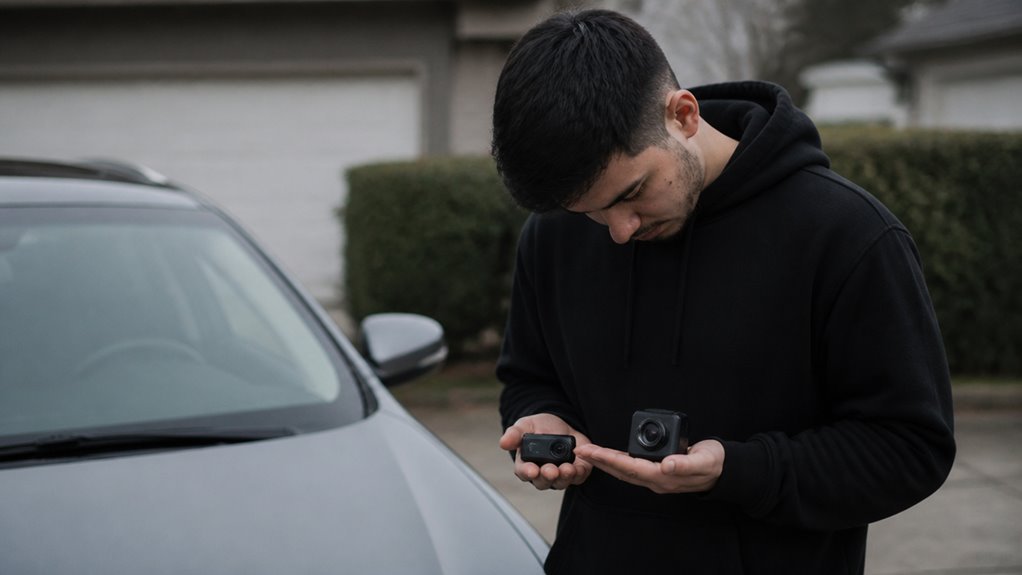
When you choose a dash cam, match the resolution to your license plate reading needs. A 1080p dash cam handles normal traffic footage, and a 4K model can capture finer detail when another driver swerves into your lane.
For lens field coverage, a wide angle lens can capture side impacts. Go too wide, though, and the footage can look warped and hard to use.
Power source, parking mode, and storage capacity are the next factors for dash cam buyers to compare. Together they determine whether your dash cam survives overnight or ends up with a dead battery and a full memory card.
Video Resolution Clarity
Raw resolution is the first thing to settle when you are buying a dash cam for clear video evidence. Go with 4K UHD on the front camera so you can capture license plates and faces that 1080p often turns into smudges.
This choice gives you usable video evidence with clear detail. For night vision, Pioneer’s AI-ISP Starvis sensor reduces noise and boosts contrast so a 2 AM incident stays readable.
Front cameras do most of the work, so put your main budget there. Many rear cameras stay at 1080p, which is fine for spotting a tailgater and weak for reading a plate at dusk.
Do not count on rear camera miracles in low light. WDR, or Wide Dynamic Range, helps in bright to dark shifts by balancing exposure so the footage remains readable.
For the clearest dash cam footage, choose a 4K UHD front camera plus a Starvis sensor. Buy that setup first and check rear camera specs with realistic expectations.
Lens Field Coverage
Lens field coverage decides what your dash cam records on the road. A front lens at 139° or 140° covers three or more lanes and reduces blind spots at intersections and lane changes.
Sharpness helps, and this wide front lens acts as a shield when a car merges or a pedestrian steps out. For the rear lens, a 120° field of view handles traffic behind you and keeps edge distortion low.
You lose some side visibility, but you gain clearer license plate details. The angle gap matters for dash cam buyers who want useful front and rear footage.
A front lens at 139° or wider catches side hazards across three lanes. A rear lens at 120° gives solid coverage with less distortion.
A 10° to 20° difference can decide whether you record the full incident or only the aftermath. Match the lens angle to your driving: city streets benefit from a wide front lens, while highways can use a narrower rear view.
Prioritize front lens width and accept a narrower rear lens. Your dash cam will record the scenes you need.
Power Source Options
Whether you drive on weekends or commute every day, your Pioneer dash cam has two power paths: the cigarette lighter plug or the hardwire kit. The plug uses USB C power and offers a plug and play dash cam setup with no tools.
The cable can dangle like spaghetti, which makes cable routing less tidy. A hardwire kit taps the fuse box and hides the cable for a factory finish.
It supports ACC power so the camera turns on with the ignition, and constant power for continuous parking mode recording when you want it. A low voltage cutoff at 11.8V stops battery drain during long parked periods.
Cable lengths vary: a short stub runs from the fuse box to the conversion module, then a longer run reaches the camera. For a clean dash cam installation with flexible power, choose the hardwire kit.
For a quick setup with no tools, choose the cigarette lighter plug. Either option works, and a tidy cable routing plan gives you a better dash cam setup.
Parking Mode Needs
Parking mode is a full setup for your dash cam. It needs a hardwire kit that taps your battery for constant power.
Look for a hardwire kit with a low voltage cutoff around 11.8V so your car starts in the morning. Without that cutoff, parking mode can drain the battery and leave you stranded.
Your Pioneer dash cam uses motion detection or a G sensor to wake for impacts in parking mode. This setup saves you from hours of junk footage.
The camera also needs to convert 12 to 24 volts down to a stable 5 volts. That conversion protects the dash cam from electrical spikes in your car.
Think of parking mode as a smart babysitter for your dash cam. You set it up once, and it watches for real events while you are away.
Make sure your setup includes the hardwire kit and the low voltage cutoff. With both in place, parking surveillance works as intended.
Storage Capacity Limits
The model sets your Pioneer dash cam’s storage capacity, and many models include a 64GB or 128GB SD card. That capacity sets a practical limit for how much video you can keep, but it still covers normal driving.
Continuous loop recording overwrites the oldest footage automatically, so the camera keeps recording without a manual reset. 4K UHD uses storage faster than 1080p, so a 64GB card fills sooner and gives you less time before overwrites.
A 128GB card gives you more time before overwrites start and reduces manual file searches. The protected folder also reserves space for critical clips, which lowers the total storage available for regular video.
If you record in 4K UHD, choose the 128GB version. If you record in 1080p, the 64GB card works fine.
Smart Safety Alerts
Several smart safety alerts come standard on Pioneer’s better models and have saved my bumper a time or two.
These alerts give real time warnings from an Advanced Driver Assistance System (ADAS) tuned for city traffic.
You will see a visual flash and hear a beep for front collision risks, which prompts quick braking when a cab stops short.
Lane departure alerts ping you the moment you drift, which helps on long drives.
This extra layer of protection supports your own judgment and keeps your brain in charge.
These alerts work well in stop and go traffic and give you extra reaction time.
Treat them as driving aids that need your full attention.
For daily driving, these alerts add useful value.
If you are a dash cam shopper comparing Pioneer trims, ask for an ADAS demo on your test drive.
Pair the alerts with a dash cam for video evidence on the road.
App Connectivity Ease
I have tested more dash cam apps than I can count, and Pioneer’s app connectivity is a mixed bag for daily use. The onboard Wi-Fi creates a direct link to your phone and needs no cellular data, which is handy for live view and quick checks.
You get playback, clip downloads, and stills from the Pioneer dash cam app without pulling a cable. Short incident clips download fast, but full length 4K footage can test your patience.
To connect, you turn on the camera hotspot and then pick it on your phone, and that routine takes two steps every drive. App responsiveness changes from snappy to sluggish, depending on the phone and the moment.
For quick clip pulls after a minor crash, this setup is fine if you are comparing dash cam apps before you buy. Do not expect smooth streaming over that Wi-Fi link, but the Pioneer app does the job for basic dash cam app needs.
Physical Size Fit
Compact Pioneer dash cams with one lens are some of the smallest models on the market. That small size makes discreet placement behind the rearview mirror easy.
You still get a clear view of the road because the dash cam covers very little windshield space. Systems with two lenses need more room for the rear camera, and the front unit gets larger.
Plan the mounting before you buy. A hardwire kit is smaller than the camera body and can hide behind panels.
Cable length changes by kit, but the camera size decides where it can go. Measure your windshield area first.
For a clean look, choose a single lens dash cam. For full coverage, expect to give up some glass space.
Review the specifications and the price when you compare dash cam models.
Frequently Asked Questions
Can the VREC-Z820DC Record Audio Without External Microphone?
Yes, this dash cam can record audio without an external microphone. It has an internal mic, so sound is captured directly with your video.
Make sure audio recording is turned on in the settings before you drive. Then check a short test clip to confirm sound is clear and saved to your microSD card.
Does the Hardwire Kit Support Parking Mode Voltage Cut-Off?
Yes, a hardwire kit supports parking mode voltage cut-off. It lets you set a minimum battery voltage so the dash cam stops recording before the battery drains too low.
Check your kit’s adjustable threshold and match it to your car’s battery type. Then test parking mode for a short time and confirm it shuts off as expected.
Are Pioneer Dash Cams Compatible With Mac Operating Systems?
Yes, Pioneer dash cams are compatible with Mac operating systems. They connect through USB or a microSD card, and Pioneer’s desktop app lets you view and save footage. Check that your Mac meets the app’s system requirements before installing it.
Then use a card reader or the cam’s USB cable to transfer clips, and keep loop recording files backed up regularly.
What Is the Operating Temperature Range for the VREC-H120SC?
The VREC-H120SC operates between -10°C and 60°C (14°F to 140°F). Keep it within that range for reliable recording and to avoid heat or cold damage.
If temperatures are extreme, park in shade or bring the dash cam indoors to protect it. Check the manual for storage limits before leaving it in a hot or freezing car.
Can I View Footage Live on My Smartphone via Wi-Fi?
Yes, you can view live footage on your smartphone over Wi-Fi when the dash cam is powered and recording or in parking mode. The connection is local, so you need to join the dash cam’s hotspot directly.
Open the companion app and connect to the camera’s Wi-Fi network before checking the live view. Keep the vehicle powered if you need parking mode coverage.
Rounding Up
Setup Time Test: We timed unboxing and mounting each dash cam with a stopwatch, then noted cable routing and parking mode setup time.
Night Clarity Test: We drove a dark route and checked footage for night vision, license plate clarity, and glare, then repeated with loop recording running.
Heat Stress Test: We filled a memory card, parked in direct sun, and ran loop recording for one hour to see if footage stayed readable.
Daily Drive Test (Winners Only): All recommended products passed the first three tests, then we used them for a full week of daily driving. We recorded commutes and checked parking mode, playback, and cable tidiness for the best dash cam fit.